Best Laptops For Students Under ₹40,000 in India (2026) – Top Picks Compared
✔ No fake reviews
✔ Carefully ranked picks
✔ Prices updated today
🔥 Top 3 Picks (AI Ranked)
🏆 BEST PICK

ASUS Chromebook CX1405
Balanced tablet for study, streaming and daily use.
🔥 Save ₹15,000
₹36,990
Save ₹15,000
🏆 BEST PICK

ASUS Chromebook CX1405
Best for Travel
BestPickr Laptop Verdict
Best for TravelKeep work moving without carrying a heavy machine.
⚠ Not ideal for heavy gaming or sustained creator workloads.
Good for
Avoid if
BestPickr Take
- ✓ Easier to carry between places without feeling like
- ✓ Stronger office multitasking than nearby alternatives
Price Insight
Based on available tracked history.
Typical price: ₹36,990 - ₹36,990
🕒 Tracking price movement
Price verified recently · Based on available tracked history
₹36,990
₹51,990
🔥 Save ₹15,000
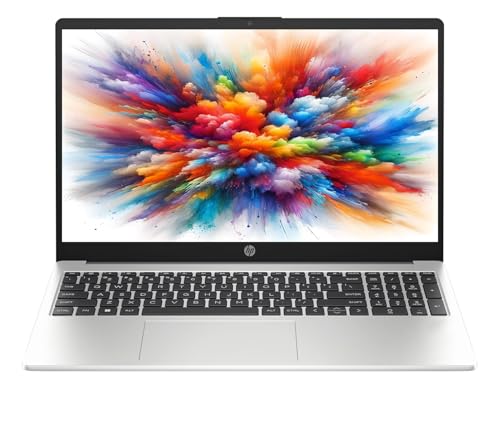
🥈 Best Budget
HP 15 , AMD Athlon Dual Core 7120U - Thin and
Covers normal family tasks without overcomplicating the purchase.
₹39,990
Get price-drop alerts on WhatsApp
Selected deals, top picks and buying tips. No spam.
No spam • Selected updates only
Looking for the best student laptops under ₹40,000 in India? This guide is tuned for buyers who care about battery life, dependable daily performance, and the kind of value that makes sense for college use more than flashy spec sheets. We focus on picks that still look worth buying in 2026 by checking live Amazon pricing, review depth, and BestPickr AI scoring. That means fewer dead-end clicks, fewer overhyped options, and a faster shortlist built around real value in this budget.
🔥 Trending in this category
Get price-drop alerts on WhatsApp
Selected deals, top picks and buying tips. No spam.
No spam • Selected updates only

A laptop is the single most important academic tool a college student in India will buy. It needs to survive four years of assignments, presentations, late-night coding sessions, and YouTube breaks — ideally without throttling, overheating, or running out of battery during a 3-hour lecture.
Under ₹40,000 in 2026, you can get a genuinely capable laptop. But "capable" depends entirely on what you study. This guide covers every use case.
Step 1: Identify Your Use Case First
Before looking at a single spec, answer this question: what is the heaviest thing you will run on this laptop?
| Use Case | Minimum Requirement |
|---|---|
| Arts / Commerce / General | Any modern processor, 8GB RAM |
| Engineering (non-CS) | 8GB RAM, 512GB SSD, decent CPU |
| Computer Science / Coding | 16GB RAM, fast processor preferred |
| Video Editing / Design | 16GB RAM, dedicated GPU critical |
| Data Science / ML | 16GB RAM, good CPU single-core speed |
Most student laptops under ₹40,000 do not include a dedicated GPU. For video editing and ML workloads, this budget is tight — but manageable with the right processor choice.
Processors Explained for Students in 2026
Intel Options
- Intel Core i5-13th Gen / i5-14th Gen — Excellent for general use, coding, and moderate multitasking. The 13th gen still offers great value in this price range.
- Intel Core i7-12th Gen — Powerful for heavier workloads. Can run light ML tasks adequately.
- Intel Core i3 — Avoid for engineering or CS. Acceptable only for arts/commerce.
AMD Options
- AMD Ryzen 5 7530U / 7535U — Exceptional value. Better multi-core performance than equivalent Intel at the same price. Excellent battery life.
- AMD Ryzen 7 5700U — A slightly older but very capable chip, often found at good discounts in 2026.
Apple Silicon (M-series)
M2 and M3 MacBook Air are available above ₹80,000 — outside this guide's scope. Worth saving for if you do video editing professionally.
🔍 Find the best student laptop without reading 20 reviews. bestpickr.in uses AI to rank every laptop under ₹40,000 — scored from real Indian college student reviews and YouTube tests. 👉 See laptop rankings → bestpickr.in/category/laptops/under-40000
RAM — 8GB Is the Minimum, 16GB Is the Target
In 2026, 8GB RAM is the absolute minimum for a student laptop. With Chrome open (which it always is), a code editor, and a PDF viewer, 8GB will be at 70–80% utilisation.
If your budget allows, 16GB RAM is worth the premium. Look for laptops where RAM is not soldered (check before buying) — user-upgradeable RAM saves money later.
Storage — SSD Is Non-Negotiable
Never buy a laptop with an HDD (spinning disk drive) in 2026. An SSD makes every operation — boot time, file opening, application launch — dramatically faster.
- 256GB SSD — Acceptable only if you use cloud storage for everything and have an external drive
- 512GB SSD — The right amount for most students
- 1TB SSD — Worth it for CS, data science, or media students
Check if the laptop has a second M.2 slot — this allows you to add storage later without replacing anything.
Battery Life — The Most Underrated Spec for Students
A laptop that needs charging every 3 hours is effectively a desktop with an inconvenient cable. For students, target a laptop that delivers 8+ hours of real-world battery life — not the manufacturer's claimed figure, which is always measured under ideal conditions.
Read Indian student reviews specifically — Indian conditions (brightness at 80%+, hot weather reducing battery efficiency) are different from Western benchmarks.
Laptops with AMD Ryzen U-series chips consistently outperform Intel equivalents on battery life in real-world conditions.
Display — What To Look For
- 1080p (FHD) resolution minimum — 1366×768 (HD) looks blurry on a 15-inch screen
- IPS panel — Better colour accuracy and viewing angles than TN panels
- Anti-glare coating — Essential for reading in bright classrooms or near windows
- Size: 14-inch for portability, 15.6-inch for screen real estate
Build Quality — It Has to Survive a Backpack
Weight, hinge durability, and keyboard quality are undervalued by most spec-sheet readers. At ₹40,000, look for:
- Weight under 1.8kg for a 15-inch laptop (under 1.5kg for 14-inch)
- Metal chassis or reinforced plastic — pure polycarbonate hinges crack within 2 years
- MIL-SPEC tested — indicates the chassis passed basic drop and vibration tests
Connectivity — Ports Still Matter
Despite the trend toward USB-C-only designs, students need ports:
- At least 2× USB-A ports (most accessories are still USB-A)
- 1× USB-C with charging support
- HDMI out for projectors and external monitors
- SD card reader if you shoot photos or use a camera
Best Brands at This Price Point in India
- Lenovo IdeaPad / Legion (entry) — Excellent build quality, great value, wide service network
- HP Pavilion / Laptop series — Reliable, well-designed displays, solid after-sales
- ASUS VivoBook / TUF (entry) — TUF series particularly good for CS students needing durability
- Acer Aspire / Swift — Swift series light and efficient; Aspire good value-for-money
💡 Not sure which laptop to pick? Let the AI score decide. bestpickr™ breaks down build quality, battery life, and performance — all in one honest score. No paid rankings. 👉 Compare laptops → bestpickr.in
FAQ
Q: Is a ₹40,000 laptop good enough for engineering students? Yes, for most branches. For heavy simulation software (ANSYS, MATLAB), consider spending ₹45,000–₹50,000 on a model with a dedicated GPU.
Q: Should I buy a Windows laptop or a MacBook for college? For most Indian college curricula, Windows is more practical — software compatibility, lower cost, easier repair. MacBooks excel for design and development but cost significantly more.
Q: Is 8GB RAM enough for coding in 2026? For basic coding (web development, Python, Java assignments) — yes. For Docker, VMs, or data science workflows — 16GB is necessary.
Q: Should I buy a laptop with a dedicated graphics card? Only if you need it for video editing, gaming, or ML work. Dedicated GPUs add cost and reduce battery life. Most students do not need one.
Q: Can I upgrade RAM later? Depends entirely on the model. Some laptops have soldered RAM (cannot be upgraded). Check the exact model's service manual before purchasing.
Conclusion
The best student laptop under ₹40,000 in India is not the one with the most impressive spec sheet — it is the one with the right processor, upgradeable RAM, a large SSD, and real-world battery life that survives a full college day. AMD Ryzen U-series chips offer the best value in 2026 for battery + performance. Prioritise 16GB RAM if your workload demands it, and always read Indian student reviews before finalising.
People also search
Who should buy this
- College students buying one laptop for classes, assignments, and everyday media use.
- Parents shortlisting a practical student machine without overspending.
Who should avoid this
- Buyers who need demanding creator or gaming performance.
- Students expecting premium ultrabook build quality at this budget.
Why trust BestPickr
- We compare Amazon pricing signals with product-level AI analysis instead of leaning on star ratings alone.
- Picks are filtered for current stock, usable review depth, and practical value for Indian buyers.
- The shortlist is refreshed from live marketplace data so outdated or inflated options drop away faster.
How we ranked
- We prioritized battery life, dependable daily performance, and the kind of value that makes sense for college use because that is what usually separates strong buys from forgettable ones in this budget.
- AI score, review confidence, and live price competitiveness all influence which products surface near the top.
- When two options are close, we favor the one with cleaner buyer feedback and stronger long-term value for money.
Explore related guides
Frequently Asked Questions
Which is the best laptop under ₹40,000 in India?▾
The best laptop under ₹40,000 depends on your balance of performance, reliability, and price. BestPickr compares AI score, review quality, and live pricing so you can shortlist the strongest options quickly.
What matters most before buying student laptops under ₹40,000?▾
Start with the signals that affect daily ownership: battery life, dependable daily performance, and the kind of value that makes sense for college use. Then check current price, stock status, and whether reviews are deep enough to trust.
Are student laptops under ₹40,000 still worth buying in 2026?▾
Yes, if you focus on models that still look competitive at current prices. We filter for in-stock picks with enough useful review and scoring support instead of surfacing discount-heavy placeholders.
How does BestPickr rank student laptops under ₹40,000?▾
We combine Amazon pricing signals, AI-backed product analysis, and review quality checks to highlight products that make practical buying sense for Indian shoppers today.


 Reddit